
Running a dental practice means managing much more than clinical care.
Appointments need to be scheduled. Patient records must stay organized. Treatment plans need to be tracked. Insurance and billing workflows have to move. Team members need the right information at the right time.
That is where dental practice management software comes in.
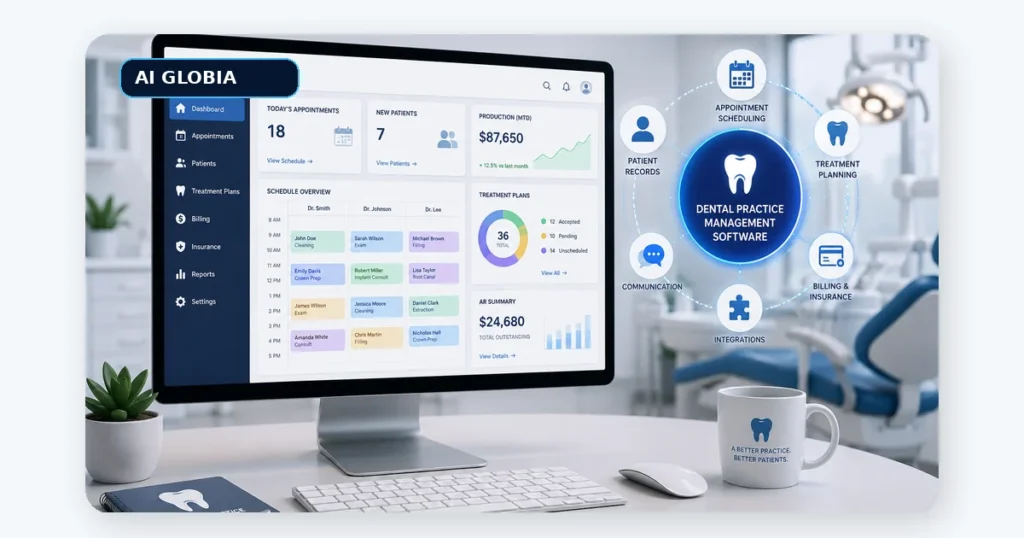
Dental practice management software, often called a dental PMS, is the core system used to organize the administrative and often clinical operations of a dental practice. Depending on the platform, it may handle scheduling, patient records, charting, billing, insurance, treatment planning, reporting, and communication.
The important question is not which system has the longest feature list.
It is which system fits the way your practice actually works.
What Does Dental Practice Management Software Do?
Think of your PMS as the operational center of the practice.
Most modern platforms cover several core areas.
Appointment Scheduling
The system manages provider schedules, operatories, appointment types, availability, and patient appointments.
Good scheduling software should make it easy for the front desk to understand what is available without creating unnecessary clicks or confusion.
Patient Records and Clinical Information
Many platforms store patient demographics, clinical notes, treatment history, medical information, charting, and related records.
Depending on the software, imaging and other clinical systems may also integrate with the PMS.
Treatment Planning
Dentists and treatment coordinators may use the system to create treatment plans, document recommendations, record acceptance, and monitor incomplete treatment.
This becomes especially valuable when the practice wants to improve follow-up on unscheduled care.
Billing and Insurance
Practice management software can support patient balances, insurance information, claims workflows, payment tracking, and financial reporting.
The exact capabilities vary significantly between systems, so practices should evaluate their own billing workflow rather than assuming every PMS handles it the same way.
Reporting
Reports can help practice owners understand production, collections, scheduling, patient activity, provider performance, and other operational metrics.
The value of reporting depends on whether your team can actually understand and use the data.
The Biggest Mistake: Choosing Software by Features Alone
Imagine two systems.
Software A has 120 features.
Software B has 80.
That does not automatically make Software A better.
If your front desk needs five screens to reschedule an appointment, your treatment coordinator struggles to find incomplete treatment, or the reporting is too confusing to use consistently, the extra features may add complexity rather than value.
A better question is:
How well does this software support the workflows we perform every day?
Before booking demonstrations, map the practice’s most important workflows.
For example:
New patient calls.
Appointment booking.
Check-in.
Clinical documentation.
Treatment presentation.
Insurance verification.
Checkout.
Recall.
Unscheduled treatment follow-up.
Patient balances.
Reporting.
Then evaluate software against those workflows.
This gives you a much stronger buying framework than comparing feature checklists.
Use the Five Minute Workflow Test
During a software demonstration, do not only watch the salesperson.
Ask them to complete real practice tasks.
For example:
“Show me how a new patient is added and scheduled.”
“Show me how we find patients with unscheduled treatment.”
“Show me what happens when someone cancels.”
“Show me how the front desk checks tomorrow’s schedule.”
“Show me how I see outstanding treatment value.”
“Show me how a manager compares this month with last month.”
If a common task takes too many steps during a polished demonstration, it is unlikely to become easier during a busy Monday morning.
This simple test brings the decision back to usability.
Cloud Based or Local Software?
One important decision is how the system is hosted.
Traditional on-premises software generally runs through computers or servers controlled by the practice.
Cloud based systems are accessed through the internet and are typically hosted by the software provider or another cloud infrastructure provider.
Cloud software can make remote access, updates, and multi-location management easier. On-premises systems may offer practices different levels of infrastructure control.
Neither approach should be selected based only on the label.
Look at reliability, backup procedures, support, internet requirements, access controls, data portability, security, and the total responsibility placed on your practice.
Security and HIPAA Cannot Be an Afterthought
Dental practice software may contain sensitive patient information.
That means security should be part of the buying conversation from the beginning.
Ask how data is encrypted, how access permissions work, whether multifactor authentication is available, how backups are handled, what happens during an outage, and how security incidents are managed.
You should also understand the vendor’s relationship to protected health information.
The HHS guidance on HIPAA and cloud computing explains that a cloud service provider that creates, receives, maintains, or transmits electronic protected health information on behalf of a covered entity can be a business associate and must meet applicable HIPAA obligations.
Do not settle for a salesperson simply saying, “We are HIPAA compliant.”
Ask what that means operationally for your practice.
Your PMS and Your Automation System Are Not the Same Thing
This distinction is becoming increasingly important.
Your dental practice management software is usually the system of record.
It stores important information about patients, appointments, treatment, and practice activity.
But a PMS may not handle every part of patient communication, lead conversion, marketing attribution, missed calls, or automated follow-up the way your practice needs.
That is where connected systems can add another layer.
For example, AI Globia’s CRM Automation is designed to help connect inquiries, lead tracking, appointments, follow-up activity, and reporting into one workflow. Its AI Booking and Scheduling service can support appointment workflows around the systems a practice already uses.
The goal should not be replacing a good PMS just because automation is available.
It should be connecting systems intelligently where there is a genuine operational gap.
Look Carefully at Integrations
Integrations can determine whether your technology stack feels connected or fragmented.
Before choosing software, list the other systems your practice depends on.
That may include:
Imaging.
Phones.
Online booking.
Payment processing.
Patient forms.
Text messaging.
Insurance tools.
Accounting.
Analytics.
CRM or automation systems.
Ask vendors exactly how each integration works.
“Yes, we integrate with it” is not enough.
Find out whether the integration is native, uses an API, requires another provider, carries an additional fee, and which information actually moves between the systems.
Do Not Ignore Data Ownership and Exit Planning
This question is often asked too late:
What happens if we leave?
Before signing a long-term software agreement, understand:
Who owns the patient data?
How can you export it?
Which data can be exported?
What format will you receive?
Are clinical notes, images, attachments, schedules, and financial information included?
Does migration carry an additional cost?
How long can you access the system after cancellation?
Your PMS may become one of the most important operational systems in the practice.
You should understand how you get both into it and out of it.
A Practical Dental PMS Scorecard
Instead of choosing software based on instinct, score each system from 1 to 5 across these areas:
Daily usability: Can the team perform common tasks quickly?
Scheduling: Does it support the way your providers and operatories work?
Clinical workflow: Are charting, treatment planning, and documentation practical?
Billing: Does it fit your insurance and payment processes?
Reporting: Can owners and managers easily find useful numbers?
Integrations: Does it connect with the tools you need?
Security: Are access, backups, privacy, and vendor responsibilities clear?
Support: What happens when your team needs help?
Migration: How difficult will implementation and data transfer be?
Scalability: Will it still work if the practice adds providers or locations?
A system scoring well overall may be a better choice than one with a few impressive features but serious weaknesses in everyday workflows.
Plan the Implementation Before You Buy
Software does not improve a practice simply because it was installed.
Implementation matters.
Assign someone internally to own the transition.
Document your current workflows.
Clean unnecessary data before migration.
Decide which information must be transferred.
Train employees based on their actual roles.
Test scheduling, billing, patient records, integrations, permissions, and reporting before relying on the system completely.
Then collect team feedback after launch.
A technically successful migration can still fail operationally if the team does not understand how the new workflow is supposed to work.
Frequently Asked Questions
What is dental practice management software?
Dental practice management software is a system used to manage key dental office workflows such as scheduling, patient information, treatment planning, billing, insurance, clinical documentation, and reporting.
What features should dental practice management software have?
Core features commonly include appointment scheduling, patient records, treatment planning, billing, insurance management, charting, reporting, and integrations. The right feature set depends on the practice’s workflow.
Is cloud dental software better?
Not automatically. Cloud systems can simplify remote access, updates, and multi-location use, while other setups may provide different levels of local control. Compare reliability, security, support, cost, integrations, and workflow fit.
Should I replace my current PMS to add automation?
Usually not automatically. If the existing PMS works well, it may make more sense to connect communication, booking, CRM, or automation tools around it rather than replacing the core system. AI Globia likewise states that it aims to connect with tools practices already use when practical.
Conclusion
The best dental practice management software is not necessarily the platform with the most features or the most recognizable name.
It is the system that helps your team perform everyday work reliably, keeps important information accessible, provides useful reporting, protects patient data, integrates with the tools you need, and can grow with the practice.
Start with workflows before looking at software.
Test real tasks before buying.
Understand security and data ownership before signing.
Then build automation around the PMS only where it solves a real operational problem.
For more practical ideas about dental operations, patient growth, and automation, visit the AI Globia Blog or explore how AI Globia connects patient acquisition, front desk workflows, booking, follow-up, and reporting.
Leave a Reply