
A full dental schedule can look healthy in the morning and still finish the day with empty chair time.
Patients forget. Work schedules change. Children get sick. Some people realize too late that they cannot make an appointment, while others simply never confirm.
That is why dental appointment reminders should be treated as more than courtesy messages.
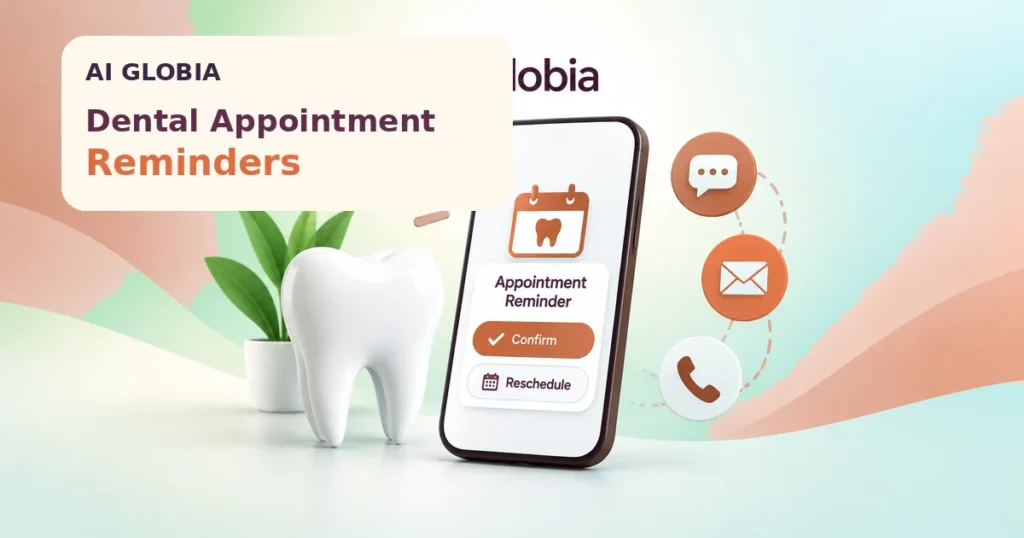
A good reminder system helps patients remember upcoming visits, gives them an easy way to confirm or reschedule, and gives the front desk enough time to act when an appointment becomes uncertain.
The goal is not to send more messages.
The goal is to create a reliable confirmation workflow.
Dental Appointment Reminders Are a Workflow, Not a Single Text
Many practices think of appointment reminders as one message sent the day before a visit.
That approach can work for some patients, but it does not create much room for schedule recovery.
If a patient cancels at 4:30 p.m. the day before treatment, the team may have very little time to fill the opening.
A better system considers the full process:
Appointment scheduled > reminder sent > patient response > confirmation status > exception handling > appointment completed or rescheduled
Every step should have a clear outcome.
When a patient confirms, the schedule should show it.
When someone asks to reschedule, the request should reach the right person.
When there is no response, the team should know whether additional follow-up is needed.
This is what turns reminders into an operational system rather than background messaging.
Start With Patient Communication Preferences
Dental practices should not assume every patient wants to communicate in the same way.
Some prefer text messages. Others respond better to phone calls or email.
The American Dental Association’s appointment confirmation guidance recommends discussing the preferred method and timing of appointment confirmations with patients and recording that preference for future communication. It also reminds practices to consider privacy requirements and applicable rules governing phone and text communication.
This creates a simple improvement:
Ask once, record the preference, and use it consistently.
Your reminder workflow should not force every patient into the same communication channel simply because that channel is easiest for the software.
Give Patients Enough Time to Act
Reminder timing should help both the patient and the practice.
A reminder sent too early may be forgotten.
A reminder sent too late may leave no realistic opportunity to refill the appointment if the patient cancels.
There is no perfect schedule for every dental office, so practices should test what works with their own patient base.
A practical workflow might include an earlier confirmation message followed by a closer reminder for appointments that remain active.
The exact timing matters less than the purpose of each communication.
Ask:
What do we want the patient to do after receiving this reminder?
If the answer is “nothing,” the message may not be helping the workflow.
A useful reminder should make the next step obvious.
Make Confirming or Rescheduling Easy
Patients should not need to call during office hours, wait on hold, explain themselves to several people, and then restart the scheduling conversation.
A reminder can provide a simple path to:
- Confirm the appointment
- Request a change
- Contact the practice
- Complete required pre-visit steps when appropriate
The easier the response process is, the sooner the practice can understand what the schedule actually looks like.
AI Globia’s AI Booking and Scheduling service is built around this type of scheduling workflow, including calendar booking, scheduling rules, and confirmation support.
The important principle is not that every practice needs sophisticated automation.
It is that every appointment should have a clear status.
Create Clear Appointment States
A schedule containing only “booked” appointments can hide important uncertainty.
Your team may benefit from distinguishing between states such as:
Scheduled: Appointment exists but has not yet been confirmed.
Confirmed: Patient has actively confirmed.
Needs attention: Reminder was sent but the patient’s response requires staff action.
No response: Patient has not replied after the defined reminder process.
Reschedule requested: Patient wants another appointment time.
Canceled: Appointment has been released.
The exact labels can vary by software.
The important thing is that your front desk can immediately identify which appointments need attention.
Build an Exception Queue
Automation works best when normal situations are handled automatically and unusual situations are made visible to staff.
Suppose 40 patients are scheduled tomorrow.
Thirty-two confirm normally.
Four request changes.
Three never respond.
One sends a question about premedication.
Your team should not have to manually review all 40 patients again.
The system should ideally surface the eight cases that need additional attention.
This creates an exception queue.
Staff time is then spent on situations that actually require human judgment.
This is a better use of automation than simply sending more messages.
Do Not Confuse Reminders With Recall
Appointment reminders and patient recall solve different problems.
Appointment reminders help patients who already have appointments scheduled.
Recall helps patients who need to schedule future recommended care.
Reactivation focuses on patients whose relationship with the practice has already weakened or become inactive.
Keeping these workflows separate prevents confusing communication.
Your existing Dental Patient Retention article explains the wider recall, cancellation recovery, and reactivation process.
This article should remain focused on the period after an appointment is scheduled and before the patient arrives.
Protect Patient Privacy
Appointment reminders are permitted under the HIPAA Privacy Rule as part of treatment, according to the U.S. Department of Health and Human Services. HHS also advises healthcare providers to use reasonable safeguards when leaving reminder messages and to limit the information disclosed when appropriate.
You can review the official HHS guidance on appointment reminders when designing your process.
This means practices should think carefully about what appears in texts, emails, voicemail messages, and other communications.
Do not assume that because a tool can send information, every piece of information should be included.
Your reminder system should balance convenience with appropriate privacy safeguards and applicable communication requirements.
Use Different Messages for Different Situations
One generic reminder template may be sufficient for basic appointments, but not every visit is identical.
A hygiene visit may require only the appointment date and confirmation instructions.
Another appointment may involve pre-visit instructions that the practice needs to communicate appropriately.
The system should therefore support useful variation without creating dozens of templates that nobody can manage.
Keep messages simple.
Patients generally need to know:
When is the appointment?
What should I do if I cannot attend?
How do I confirm or contact the practice?
Any additional information should have a clear reason for being there.
Measure the Reminder Workflow
A practice should not judge its reminder system only by whether messages were successfully delivered.
Delivery is an activity metric.
The operational questions are more useful.
Track:
- Percentage of appointments confirmed before the visit
- Number of patients requesting rescheduling
- Number of appointments receiving no response
- No-shows
- Late cancellations
- Open appointments successfully refilled
- Staff time spent on manual confirmation work
Review the numbers over time rather than relying on one unusually good or bad week.
You may discover that patients respond well to one communication channel but ignore another.
You may find that your first reminder arrives too early or your final reminder arrives too late.
Measurement allows the practice to improve the workflow rather than simply turning automation on and forgetting about it.
A Practical Reminder Scenario
Imagine a patient has an appointment on Thursday afternoon.
The practice sends an appropriate reminder in advance.
The patient replies that Thursday no longer works.
Weak Workflow
The message arrives in an inbox nobody checks consistently.
Thursday morning, the appointment still appears active.
The patient does not arrive.
The practice records a missed appointment even though the patient tried to communicate.
Better Workflow
The reschedule request changes the appointment status or creates a visible staff task.
A team member contacts the patient, moves the appointment, and releases the original time while there is still an opportunity to fill it.
The reminder itself did not save the schedule.
The workflow behind the reminder did.
That is the difference practices should focus on.
A Simple Appointment Reminder Checklist
Before automating reminders, make sure your practice can answer these questions:
- Do we know each patient’s preferred communication method?
- When are reminders sent?
- Can patients confirm easily?
- Can they request a reschedule without unnecessary friction?
- What happens when someone does not respond?
- Who handles replies that require human attention?
- Does the schedule clearly show confirmation status?
- Are canceled appointments quickly available for refill?
- Are reminder messages appropriate for privacy requirements?
- Do we measure no-shows, late cancellations, and confirmation performance?
If several answers are unclear, improve the workflow before adding more automation.
Frequently Asked Questions
What Are Dental Appointment Reminders?
Dental appointment reminders are communications sent before scheduled visits to help patients remember the appointment, confirm attendance, or notify the practice if they need to make a change.
Should Dental Practices Use Text, Email, or Phone Reminders?
The best channel depends on patient preferences and the practice workflow. The ADA recommends discussing preferred reminder methods with patients and recording those preferences.
Are Dental Appointment Reminders Allowed Under HIPAA?
HHS states that appointment reminders are considered part of treatment and can be made without a separate HIPAA authorization. Practices should still use reasonable privacy safeguards.
Can Automated Reminders Reduce Front Desk Work?
They can reduce repetitive confirmation work when confirmations, replies, and exceptions are organized correctly. Automation is less useful when staff still have to manually search several systems for patient responses.
Are Appointment Reminders the Same as Dental Recall?
No. Appointment reminders are for patients who already have scheduled visits. Recall is used to bring patients back when future recommended care still needs to be scheduled.
Conclusion
Effective dental appointment reminders are not about sending the maximum number of texts or emails.
They are about making the schedule more predictable.
Give patients clear reminders. Make confirmation simple. Make rescheduling easy. Surface exceptions to the team quickly. Respect communication preferences and privacy requirements. Then measure what happens.
When the workflow is designed correctly, automation can handle repetitive confirmation work while your front desk focuses on patients and the scheduling situations that actually need human attention.
For practices looking to connect appointment booking, confirmations, follow-up, and front desk workflows, AI Globia’s booking and automation systems are designed around a connected patient journey rather than isolated messages.
Leave a Reply